
The best STEM toy is one your child can start with limited help, use safely, and return to with a harder question. It should let the child build, compare, predict, measure, test, code, repair, or solve a problem. A toy that mainly plays sounds or animations after one button press may be fun, but it offers less room for thinking.
Use age as a starting point, then check hand control, reading level, attention span, interests, previous experience, and tolerance for frustration. Developmental milestones describe common patterns; they are not strict standards or diagnostic tools.[1] Simple blocks, puzzles, paper, and art materials can be as useful as expensive electronic toys when they encourage problem-solving and shared play.[2] For more examples of learning through building and testing, see how hands-on STEM kits support science learning.
Quick Age Guide
| Age | Common starting skills | Useful STEM toy types |
|---|---|---|
| 6–7 | Sequencing, measurement, simple machines | Marble runs, coding games, beginner circuits, engineering kits |
| 8–10 | Multi-step projects, data, testing, troubleshooting | Robotics, microscopes, circuit kits, mechanical models |
| 11–12 | Coding logic, technical design, longer projects | Microcontrollers, electronics, programmable robots, design software |
Age ranges overlap. A nine-year-old beginner may need a simpler robot than an experienced eight-year-old. However, learning ability does not cancel a safety age limit. Follow the age and hazard information on the package, especially for small parts, magnets, chemicals, batteries, heat, and tools.[3]

What Makes a Good STEM Toy?
- The child controls the result. The child should make an important choice, such as where to place a support, which command to use, or what material to test.
- The result is easy to see. A tower stands, a circuit lights, a robot turns, or a measurement changes.
- The activity can be tried again. The child can change one part and compare the new result.
- The difficulty can grow. A beginner can copy a simple model, then change it, and later make an original design.
- Errors can be found. The child should be able to tell whether the problem comes from the design, a loose part, a low battery, or a wrong command.
- The parts have more than one use. Open building pieces and refillable or replaceable supplies usually last longer than a kit that makes one fixed model.
Before buying, read a sample instruction page and look at the complete parts list. Use a simple three-session test: in session one, the child learns how the parts work; in session two, the child changes one feature; in session three, the child tries a new design, route, experiment, or solution. As a practical starting point, look for at least two difficulty levels and three different ways to use the main parts.
Best STEM Toys for Ages 6–7
Children in early elementary school can often follow longer sequences, use simple measurements, and explain a basic cause. The first activity should still give a visible result.
Marble runs: These teach slope, speed, direction, support, and planning. Choose a system that can make at least three different layouts instead of only the model on the box. Useful challenges include making the route longer, slowing the marble, adding two paths, or using fewer pieces. Follow the stated age grade because marbles are a choking risk for younger children.
Simple machines: Gears, wheels, axles, levers, and pulleys are easiest to understand when one moving part clearly affects another. Better kits build a crane, vehicle, lifting device, fan, or moving sign.
Coding games: Look for sequences, routes, repeated commands, simple loops, and clear error correction. Sounds and rewards should not hide where the program failed.
Beginner circuits: Use enclosed, low-voltage components made for children. A first circuit can use three or four clearly identified parts: a power source, conductor, switch, and light or motor. Use only the power source listed by the manufacturer, and never connect a homemade child project to a wall outlet.
Math games: Choose games that use quantities and decisions, not only speed. Good tasks include making a target number, estimating distance, measuring objects, planning moves, and finding more than one solution.
Children who prefer rocks, fossils, and excavation may enjoy supervised activities in the Dig & Explore collection. Check the product’s age grade because excavation pieces and tools may not be suitable for younger siblings.
Best STEM Toys for Ages 8–10
Many children in this range can begin multi-step projects, record results, compare one changed condition, and check a simple problem before an adult steps in. Interest matters: a child who enjoys rocks may use a geology set more than a robot, while a child who likes vehicles may prefer gears and motors.
Microscopes: Do not choose by the largest magnification number. For a first compound microscope, useful 40×, 100×, and 400× settings are generally more valuable than an unclear 1,200× or 2,000× marketing claim. A clear image, stable stage, useful light, and smooth focus matter more. A compound microscope is best for thin samples that light can pass through. A digital microscope is often easier for coins, fabric, leaves, and insect surfaces. Glass slides need careful handling.
Robotics kits: A beginner should be able to check the structure, motor ports, battery, program, and sensor position separately. Choose reusable parts, clear diagrams, replacement components, and several project levels.
Circuit and mechanical kits: Children can begin using motors, buzzers, sensors, parallel paths, gearboxes, steering systems, conveyors, and moving arms. Instructions should explain each part rather than give only numbered assembly steps.
Science kits: A useful kit includes a clear question, materials, safety steps, one condition to change, a way to record the result, and an idea for another test. Repeat a simple comparison at least three times before deciding that one design works better. A basic project record needs only five items: the question, prediction, changed condition, result, and next change. The entry-level science kit checklist can help families check tools, measuring items, safety supplies, and cleanup needs.
Logic puzzles: Choose a clear difficulty ladder and a way for the child to check the answer. Good puzzles use deduction, spatial planning, patterns, or limits instead of guessing.
Children interested in rocks, minerals, fossils, weather, or planets can also browse the Earth & Space collection.
Best STEM Toys for Ages 11–12
Tweens can often handle longer instructions and less immediate feedback. Choose tools with real functions, but do not assume that exposed wires or difficult words make a product more educational.
Programmable robots: Look for visual coding with a path to text-based coding, useful sensors, motor control, loops, conditions, reusable parts, exportable code, and offline projects.
Microcontrollers: A microcontroller is a small board that reads inputs, such as buttons and sensors, and controls outputs, such as lights and motors. A good first project uses one input and one output, such as a light sensor controlling an LED. Add a second sensor, display, or motor only after the basic circuit and code work reliably. Check whether the software works on the family’s device and whether school devices allow the required drivers.
Electronics kits: A solderless breadboard connects parts without permanent soldering. Instructions should explain polarity, voltage limits, and resistor values. Use only the low-voltage battery or current-limited USB supply listed by the kit manufacturer.
Design software: Computer-aided design, or CAD, teaches dimensions, scale, shape, and fit. Start with a useful object such as a phone stand, divider, name tag, replacement knob, or bridge model. Make one test version before the final build and measure at least the two dimensions that control fit, such as width and opening size.
Environmental tools: Weather stations, soil tests, water tests, and data loggers work best when the child repeats measurements at the same time or place. Collect at least seven readings before looking for a daily pattern, and use the same sensor and method for location comparisons. Low-cost sensors are useful for trends but may not provide laboratory-level accuracy. The Nature & Outdoor collection offers related observation activities.
Small Parts and Choking Risks
In the United States, covered products intended for children under three must not contain or release prohibited small parts under the required tests. A small part may be a complete toy, a separate piece, or a piece that breaks off during testing that simulates use and abuse.[6]
Check wheels, caps, screws, decorative eyes, pins, gear pegs, battery covers, sensor covers, broken plastic, and internal magnets. Consider babies, younger siblings, visiting children, and any child who still mouths objects. Store high-risk parts in a closed container and clear the floor after every session.
Magnet Safety
High-powered magnets can attract to each other, or to another metal object, through internal tissue. This can cause perforation, twisting, intestinal blockage, infection, blood poisoning, or death.[7]
Avoid loose high-powered magnetic balls and products with exposed magnets. Check magnetic tiles for cracks, split seams, rattling, or movement around the magnet. If magnet swallowing is possible, seek immediate medical help even if the child appears well.
Battery Safety
Battery covers should remain closed during normal use. For toys with button or coin batteries, look for a secure screw closure, an undamaged cover, and a battery that cannot become exposed.
A swallowed button or coin battery can burn through a child’s throat or esophagus in as little as two hours. Keep spare and used batteries out of reach, stop using products with damaged battery covers, and seek immediate medical help if swallowing is suspected.[8]
Chemical, Electrical, Heat, and Tool Safety
Read the full instructions before giving a child a science kit. Check eye protection, gloves, ventilation, heat, fumes, pressure, skin warnings, food-contact limits, disposal steps, and adult supervision. Never mix chemicals from different kits or use an unlabeled substance.
In the United States, toys intended for children aged 12 and younger require third-party testing and certification for the safety rules that apply to the product.[9] A certificate or safety mark does not replace careful use at home.
Use only the listed power source and charger. Disconnect power before changing exposed connections. Soldering irons, glue guns, knives, drills, rotary tools, launchers, drones, and 3D printers each need their own safety rules, work area, protective equipment, and supervision.
How to Check a Product Before Buying
Buy from an identifiable manufacturer or seller. Look for the exact model, age grade, warnings, instructions, contact information, included power source, and available replacement parts. Piano Potato’s product safety page is the type of manufacturer information families should review together with the warnings on the exact product.
For used toys, search the brand and model in the official recall database for the country where the product was sold. Avoid products with missing labels, damaged battery covers, exposed magnets, brittle plastic, or unknown repairs.
EU Regulation 2025/2509 applies mainly from August 1, 2030, while certain provisions have applied since January 1, 2026. Toys placed on the EU market under the former directive before August 1, 2030 may continue to be made available under the transition rules. The new system includes a digital product passport.[10]
Screen-Based and Connected STEM Toys
A screen is useful when it lets the child write code, control a robot, collect sensor data, design a model, or test a system. It adds less value when it mainly gives points, advertisements, sounds, or automatic answers.
Before buying a connected toy, check:
- Does it require an account or subscription?
- Can it work offline?
- Which phones, tablets, or computers does it support?
- Can code, projects, and data be exported?
- Does it collect a child’s voice, image, location, or device identifiers?
- Can parents review and delete stored data?
- Can the child communicate with strangers?
- Will the hardware still work if the app or cloud service closes?
COPPA applies to child-directed commercial websites and online services, including connected toys, that collect personal information from children under 13. It also applies to general-audience services that have actual knowledge they are collecting this information from a child. Covered services must follow rules on parental notice, consent, access, security, and deletion.[11]
AI toys need extra care. AI answers can be wrong even when they sound certain. Check privacy controls, saved conversations, content filters, parent controls, and whether the child is asked to verify information. UNICEF’s current guidance for child-centered AI stresses safety, privacy, fairness, transparency, accountability, inclusion, and children’s best interests.[12]
Match the Toy to the Child
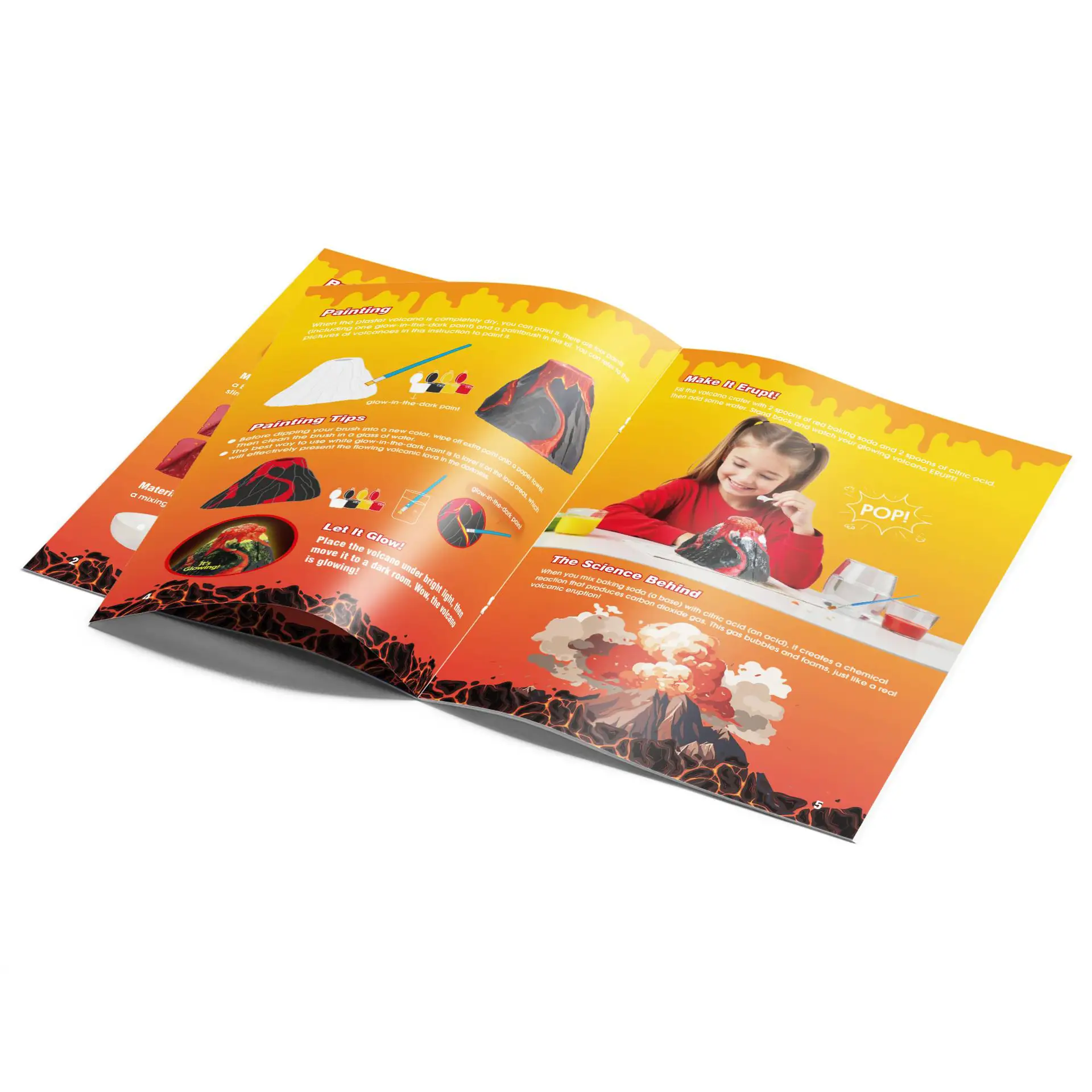
Interest: Match the activity, not only the theme. A child who likes dinosaurs may prefer a book, model, or dinosaur excavation kit. A child who likes minerals may prefer a rock and mineral collection or an Earth gemstone dig activity.
Hand control: Check the force as well as the size of each part. Large connectors may still be difficult if they need strong pinching or exact alignment. Non-slip mats, pre-sorted parts, larger knobs, and adapted grips can help.
Reading level: Good instructions use short steps, clear pictures, labeled parts, defined terms, expected results, and a troubleshooting section. An adult can read instructions aloud without taking over the project.
Session length: Some children prefer a 15-minute task; others enjoy a project that lasts several days. Choose a kit that can stop at a clear point and restart without rebuilding everything.
Sensory and access needs: Check whether sounds and flashing lights can be turned off, whether the activity uses more than color alone, and whether either hand can operate it. Products in a sensory and learning collection still require the same checks for small parts, batteries, magnets, durability, and actual learning value. The AAP also advises matching toys to a child’s developmental abilities and adapting toys when needed.[13]
How Adults Can Help Without Taking Over
Use the smallest amount of help that lets the child continue:
- Wait and let the child try.
- Ask the child to explain the goal.
- Ask where the result first changed.
- Suggest one part to inspect.
- Show a similar example, not the exact answer.
- Complete a step only when safety, reading, or physical access requires it.
Useful questions include “What changed?”, “Which part is working?”, “What could you test first?”, and “Can you solve it another way?” For code, ask which command caused the first wrong action. For a structure, ask which part moved first. For an experiment, ask which condition changed.
Price and Long-Term Value
Calculate the full cost, not only the box price:
Full first-year cost = product price + required device or power supply + consumables + replacement parts + subscription fees.
As a practical buying check, compare alternatives when required accessories add more than about one-third to the advertised price. Also divide the full cost by the number of realistic projects. A $60 kit used for 12 meaningful projects costs about $5 per project, while a $25 kit used once costs $25 per project.
Pay more when it buys better optics, reliable sensors, strong reusable parts, clear instructions, replaceable components, repair support, or long software support. Be careful when most of the price pays for a licensed character, lights, large packaging, one short activity, or a required subscription.
Before an expensive purchase, try the process at a lower cost. Borrow a microscope, use free design software, visit a library or makerspace, or begin with a smaller activity from the Fun & Science collection.
Common Buying Mistakes
- Buying too hard: If the adult must build, wire, read, and debug everything, the child becomes a spectator.
- Buying too easy: Repeating the same action without new choices gives limited long-term value.
- Choosing one fixed model: Check whether the parts can make another project after the first model is finished.
- Fixing every problem: Safe failure gives the child useful information.
- Ignoring storage: A kit with hundreds of mixed parts may be used less because setup and cleanup take too long.
- Ignoring software life: A good piece of hardware may lose value when its required app, account, or cloud service ends.
Quick 8-Point Buying Score
Give the toy one point for each condition:
- The child can start with limited help.
- The child makes a real decision.
- The result is visible.
- The activity can be changed and repeated.
- The difficulty can grow.
- The parts and instructions are safe for the home.
- The complete cost is clear.
- The toy still has value without an unsupported app, subscription, or hard-to-find refill.
A score of six to eight suggests a strong match. A score below four means the product needs closer review. This is a practical shopping tool, not a safety certificate or developmental test.
Final Buying Checklist
- The child can understand the first goal and handle the parts.
- The activity matches a real interest.
- The first task is possible without full adult control.
- Later tasks add a new decision or harder problem.
- The child can see the result and find common errors.
- The kit supports another test, model, or project.
- The instructions explain safety and important terms.
- Small parts, magnets, batteries, chemicals, heat, and tools suit the home.
- The manufacturer, model, and recall status can be checked.
- The full cost includes devices, refills, replacement parts, and subscriptions.
- Required software works on the family’s devices and allows project export where needed.
- Storage, cleanup, and adult setup are realistic.
Final Choice
The best STEM toy gives the child a clear first task and a reason to return. For ages one to five, start with three to five large pieces, short instructions, and visible results. From ages five to ten, add rebuildable designs, three repeated trials, and a five-item project record. Tweens and teens can use sensors, coding, CAD, robotics, and lab tools when the project has a goal, test method, result, and revision. Before paying, calculate the full first-year cost, check replacement parts and software life, and use the 8-point score above. A simple tool used for 12 real projects usually offers more learning value than a complex kit used once.